Your executives don’t want more data. They want answers.
“Are we on track?” “Where are the problems?” “What do you need from me?”
These are the three questions every executive asks in every steering committee meeting. And most project visibility dashboards fail to answer them clearly.
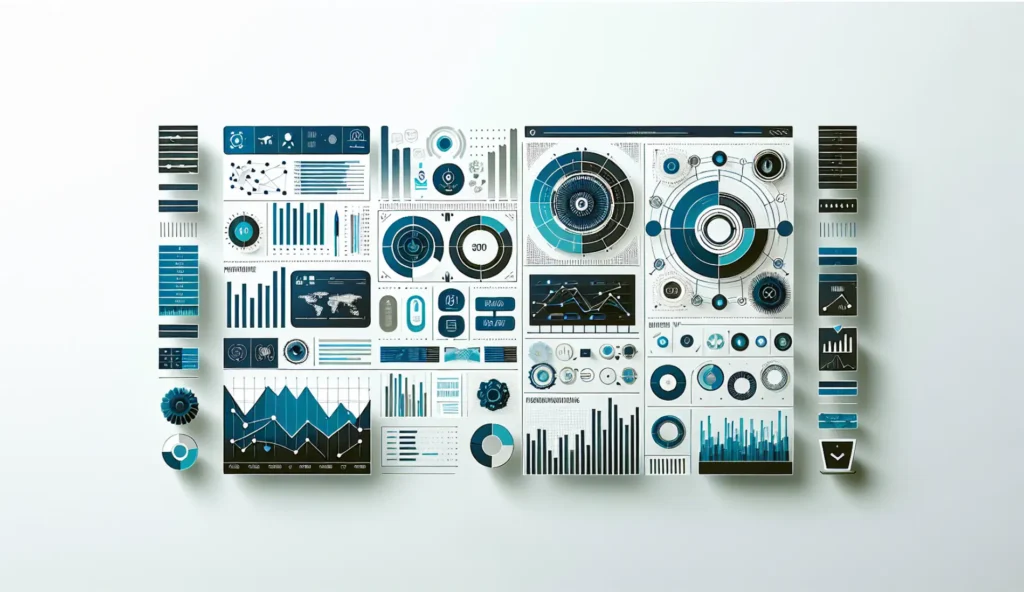
The problem isn’t the technology. Power BI, Tableau, and Project Online all have robust dashboard capabilities. The problem is that most dashboards are built for project managers, not executives. They show too much detail, require too much interpretation, and update too slowly to be useful for decision-making.
Here’s how to build a project visibility dashboard that executives actually use.
The Executive Visibility Problem
Most organizations suffer from one of two dashboard failures.
Too much detail. The dashboard shows every task, every milestone, every resource assignment. Executives take one look and close the browser tab. They don’t have time to parse through 200 line items to figure out if the project is healthy.
Too little context. The dashboard shows a single Red/Yellow/Green indicator with no explanation. Executives don’t trust it because they can’t see the reasoning. Every “green” project that later goes red erodes confidence in the entire reporting system.
The goal is the middle ground. Enough information to make decisions. Not so much that executives need a translator.
The 5 Questions Your Dashboard Must Answer
Before you design a single chart, understand what executives actually need to know. Every element on your dashboard should map to one of these five questions.
Question 1: Are we on track?
This is schedule health. Are projects hitting their milestones? Is the overall portfolio on pace to deliver what was promised? Executives need to see this at a glance, with the ability to drill down only when something looks wrong.
Question 2: Are we on budget?
This is financial health. What’s the variance between planned and actual spend? Are we trending toward overrun or underrun? Executives need to see current spend, forecast to complete, and variance in one view.
Question 3: What’s at risk?
This is the risk summary. Not the full risk register. Just the top risks that could derail delivery. Executives need to see what’s threatening success and whether those risks are being actively managed.
Question 4: What decisions do you need from me?
This is the escalation queue. What’s blocked waiting for executive action? How long has it been waiting? What’s the impact of delay? Executives need to see their to-do list and the consequences of inaction.
Question 5: What did we accomplish?
This is progress and milestones. What shipped? What got done? Executives need to see forward momentum, not just problems. This builds confidence that the team is executing, not just reporting issues.
Dashboard Element #1: Portfolio Heat Map
Start with the big picture. A single view that shows the health of every project in the portfolio.
The best format is a simple grid or table with clear Red/Yellow/Green status for each project. But here’s the key: the status must have defined criteria. No subjective assessments.
Green: On track. Schedule variance less than 5%. Budget variance less than 5%. No critical risks.
Yellow: At risk. Schedule variance 5-15%. Budget variance 5-15%. Or one critical risk being actively managed.
Red: Off track. Schedule variance greater than 15%. Budget variance greater than 15%. Or critical risks without mitigation plans.
When executives click on any project, they should see the specific metrics that drove the status. No guessing. No interpretation required.
Dashboard Element #2: Resource Utilization View
Resource conflicts kill more projects than bad requirements. Your dashboard should surface capacity issues before they become delivery failures.
Show three things:
Who’s overloaded. Any resource allocated above 100% needs to be visible. This is where projects will slip.
Where capacity exists. Resources with availability for additional work. This is where you can accelerate or recover.
Forecasted conflicts. Resource bottlenecks 30-60-90 days out. This is where executives can intervene before problems materialize.
The resource view should be exception-based. Don’t show every person at 85% utilization. Show the outliers that need attention.
Dashboard Element #3: Risk Trend Line
Static risk registers are useless for executives. They need to see trajectory. Are things getting better or worse?
The risk trend line shows the total risk exposure over time. Plot the count of high and critical risks by week or month. Add a line for mitigated risks to show that the team is actively managing the portfolio.
When the trend line goes up, executives know to pay attention. When it goes down, they know the team is getting things under control.
Include a summary table below the trend showing the top 5 risks with owner, status, and days since last update. Stale risks (no update in 14+ days) should be flagged automatically.
Dashboard Element #4: Decision Queue
This is the most underused dashboard element. And potentially the most valuable.
The decision queue shows every item waiting for executive action. For each item, display:
- What decision is needed
- Who requested it
- Date submitted
- Days waiting
- Impact of delay
When executives see that a decision has been waiting 15 days and is blocking a critical path activity, they act. When they see a queue of 12 items, they realize their own velocity is constraining the portfolio.
This element creates accountability in both directions. The team must escalate properly. Executives must respond promptly.
Your Dashboard Isn’t the Problem. Your Data Is.
Here’s the uncomfortable truth. Most dashboard projects fail not because of visualization design. They fail because the underlying data is garbage.
If project managers aren’t updating status consistently, your dashboard will show stale information. If resource allocations exist in five different spreadsheets, your dashboard will show conflicting data. If risk registers aren’t maintained, your trend lines will be meaningless.
Before you invest in dashboard technology, invest in data governance:
- Single source of truth for project data
- Mandatory update frequency (weekly minimum)
- Clear ownership for each data element
- Automated alerts for stale or missing data
- Consequences for non-compliance
A simple dashboard built on reliable data will outperform a sophisticated dashboard built on inconsistent data every time.
What To Do Next
If your executive dashboards aren’t getting used, it’s not because executives don’t want visibility. It’s because the dashboards aren’t designed for how executives think.
Start by mapping your current dashboard to the five questions. Can executives answer “Are we on track?” in under 10 seconds? Can they see their decision queue? Can they identify resource conflicts before they cause delays?
If the answer is no, you have a design problem. If the data isn’t reliable enough to build those views, you have a governance problem. Both are fixable.
Want a head start?
Download our Executive Dashboard Requirements Template. It includes the five key dashboard elements with specific metrics, visualization recommendations, and data requirements for each.
Or if you need help designing and implementing executive-level project visibility, book a complimentary 30-minute discovery call.